GNOME Shell Extension · Free & Open Source

Your apps,
one click away.

Compact Launcher brings a clean, floating app grid to your GNOME desktop. Find any installed application instantly — no typing required.

GNOME Shell 47 · 48 · 49
License GPL v3
Wayland
Multi-monitor
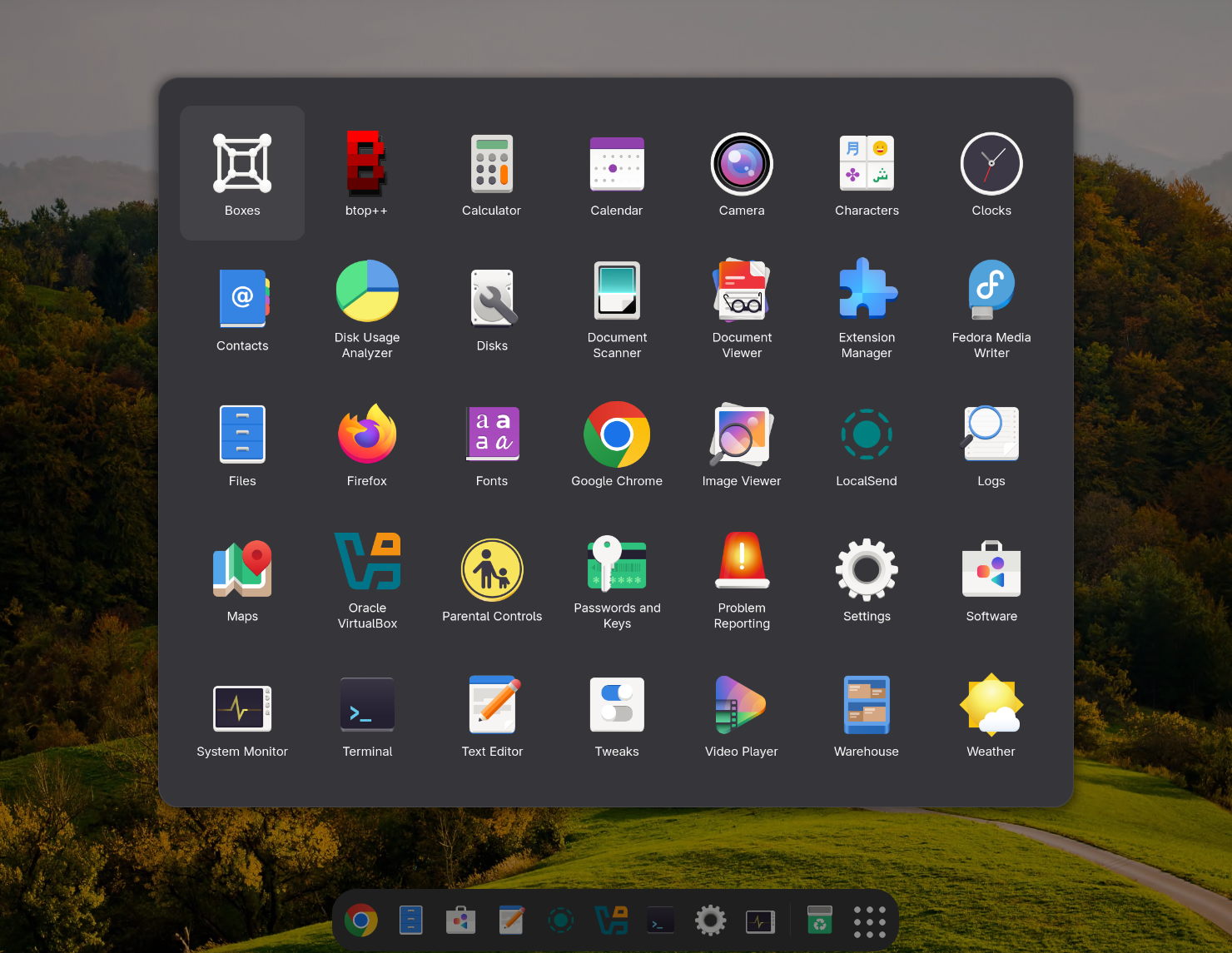
Compact Launcher showing the full app grid on a GNOME desktop

Everything you need,
nothing you don't.

Designed to feel like a natural part of GNOME — fast, minimal, and always out of the way until you need it.

🚀

One click to all your apps

A single button in the dock opens a floating grid with every installed application, sorted alphabetically and ready to launch.

🖱️

Scroll and click — that's it

No search bar cluttering the interface. Just scroll through the grid and click the icon you want. Simple and distraction-free.

⌨️

Full keyboard navigation

Arrow keys move focus across the grid, Enter launches the selected app, and Esc closes the popup — all without touching the mouse.

🖥️

Multi-monitor aware

The launcher button appears on every connected monitor's dock and the popup opens on whichever monitor your cursor is on.

🎛️

Deeply configurable

Adjust icon size, tile dimensions, popup size, grid spacing, position anchoring, column count, animation speed, and more — all through a polished settings window.

🚫

Hide unwanted apps

Filter out apps you never use by exact name or wildcard pattern. Type Libre* to hide the entire LibreOffice suite in one rule.

🎨

Follows your GNOME theme

Background, text, and highlight colours all come from your active GNOME theme — light, dark, or anything in between. No hardcoded colours.

🔒

Wayland native

Built entirely with GNOME Shell and GJS APIs. No X11 hacks — runs cleanly on both Wayland and X11 sessions.

📦

Lightweight & fast

Applications are loaded once and cached. The grid renders instantly — even with 200+ apps installed — with smooth 60 fps animations.

Tune every detail.

A clean preferences window — organised into three tabs — lets you customise every aspect of the launcher without editing a single file.

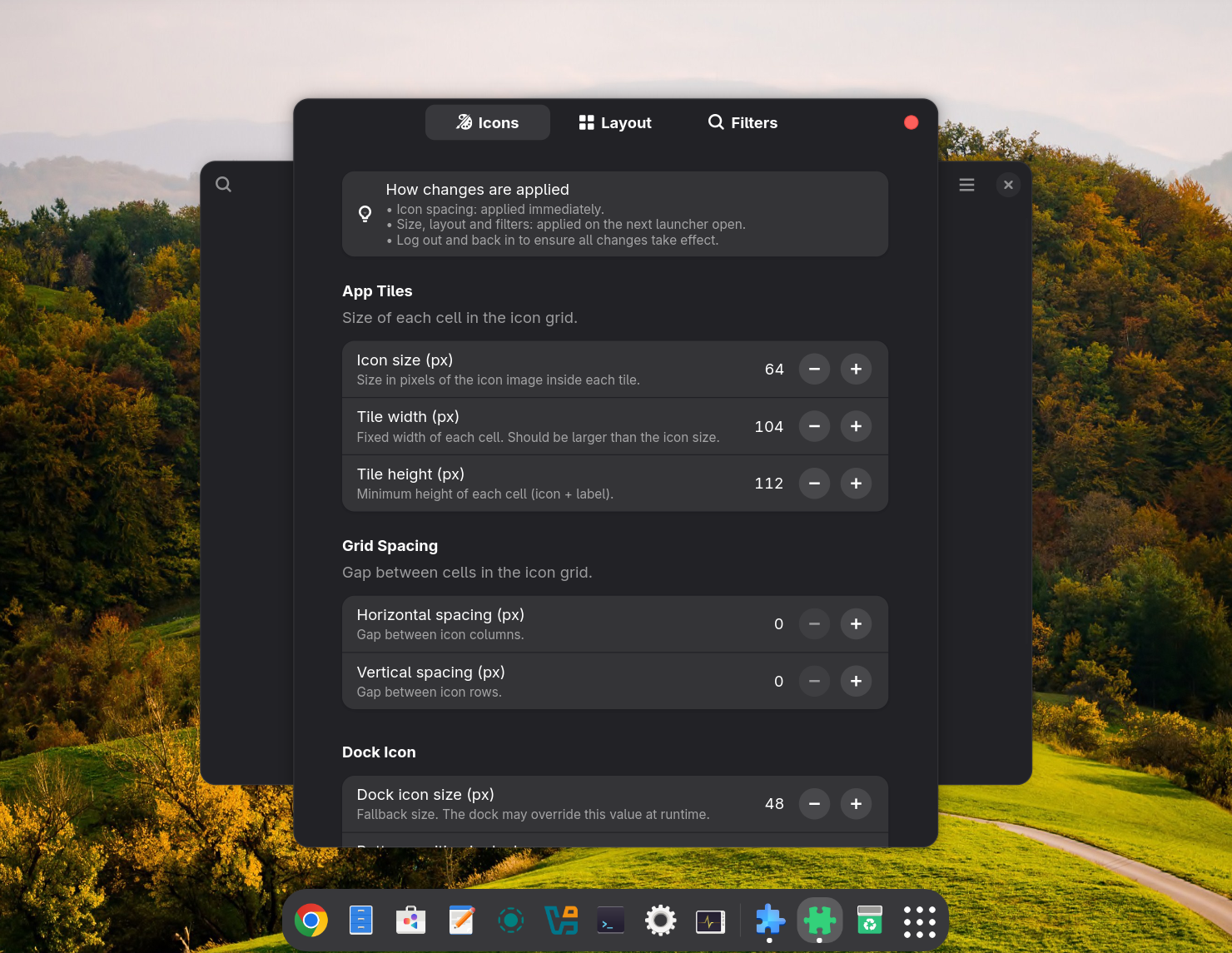
Icons settings tab — icon size, tile dimensions, spacing and dock options

Icons & Dock

Set icon size, tile width and height, grid spacing, dock button position, and animation duration.

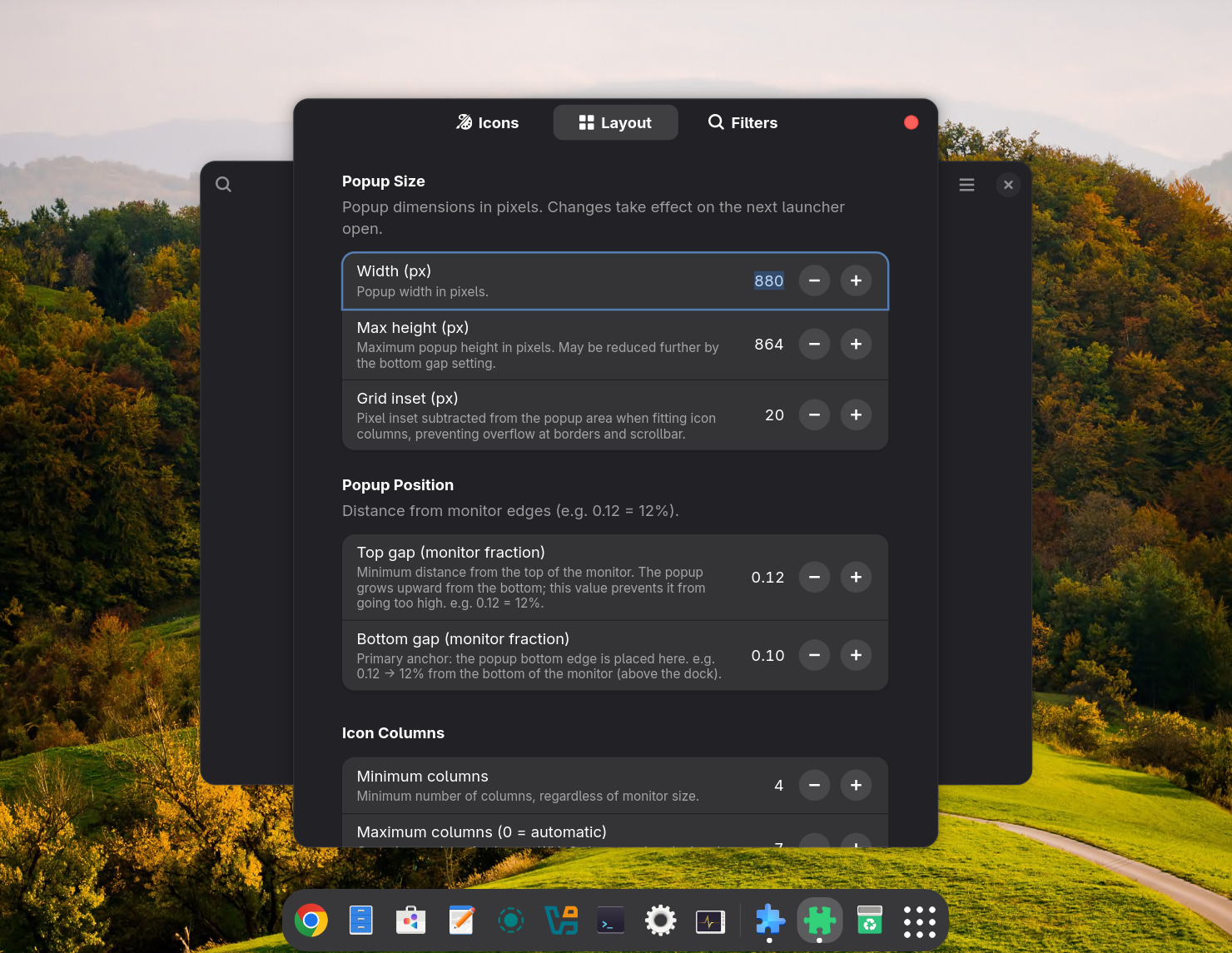
Layout settings tab — popup dimensions, position and column count

Layout & Position

Define the popup size in pixels, anchor it relative to the dock, and control minimum and maximum column counts.

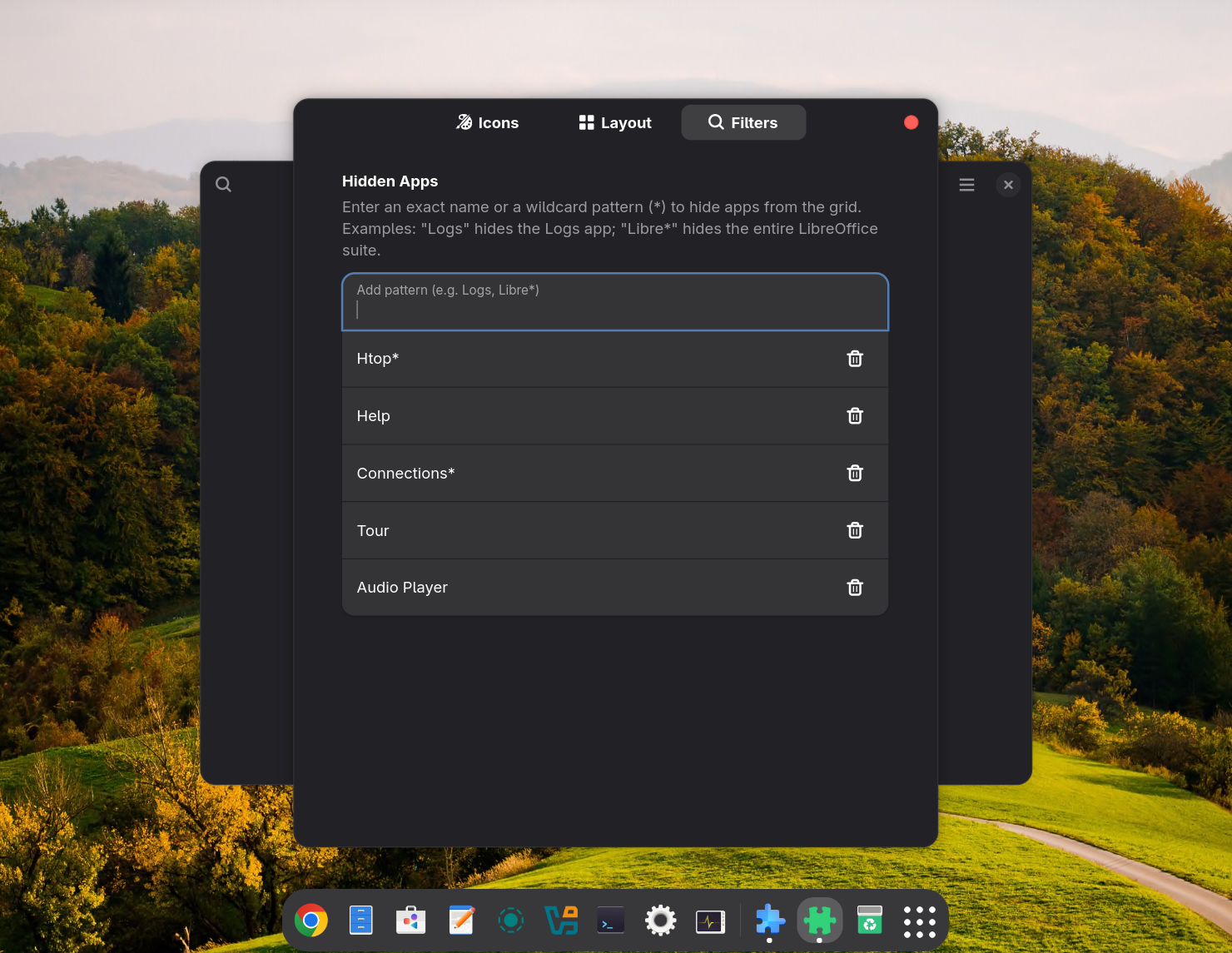
Filters settings tab — hidden apps list with wildcard support

App Filters

Add exact names or wildcard patterns to permanently hide apps from the grid. Remove them at any time with one click.

Install in seconds.

Clone the repository and run the install script — it handles everything automatically.

Quick install

The install script copies all files, compiles the GSettings schema, and enables the extension.

# Clone the repository
git clone https://github.com/gilson-fonsaca/compact-launcher.git
cd compact_launcher

# Run the installer
bash install.sh

After installation, log out and log back in so GNOME Shell fully loads the extension.

Requirements

Make sure these are in place before installing:

GNOME Shell   47 / 48 / 49
Ubuntu Dock or Dash to Dock
glib-compile-schemas (libglib2.0-bin)
Wayland or X11 session

To uninstall, run bash uninstall.sh — it cleans up all files and saved preferences.